
MCXN9xx Secure Boot#
This notebook describes how to set up basic secure boot on the MCXN9xx device family (e.g. mcxn946/mcxn947) using the SPSDK nxpimage and pfr applications.
Secure boot ensures that only properly signed (OEM-authentic) code can be executed on the device. A signed Master Boot Image (MBI) is created and authenticated by the boot ROM against the Root of Trust whose hash (RKTH) is stored in the device configuration area (CMPA). This notebook covers the internal-flash, execute-in-place (XIP), signed image flow:
establish the Root of Trust keys and a certificate block,
build a signed MBI from a plain application image,
generate the CMPA/CFPA configuration binaries (the CMPA carries the RKTH),
write CMPA/CFPA and the signed image to the device and boot it.
1. Prerequisites#
SPSDK is needed with examples extension.
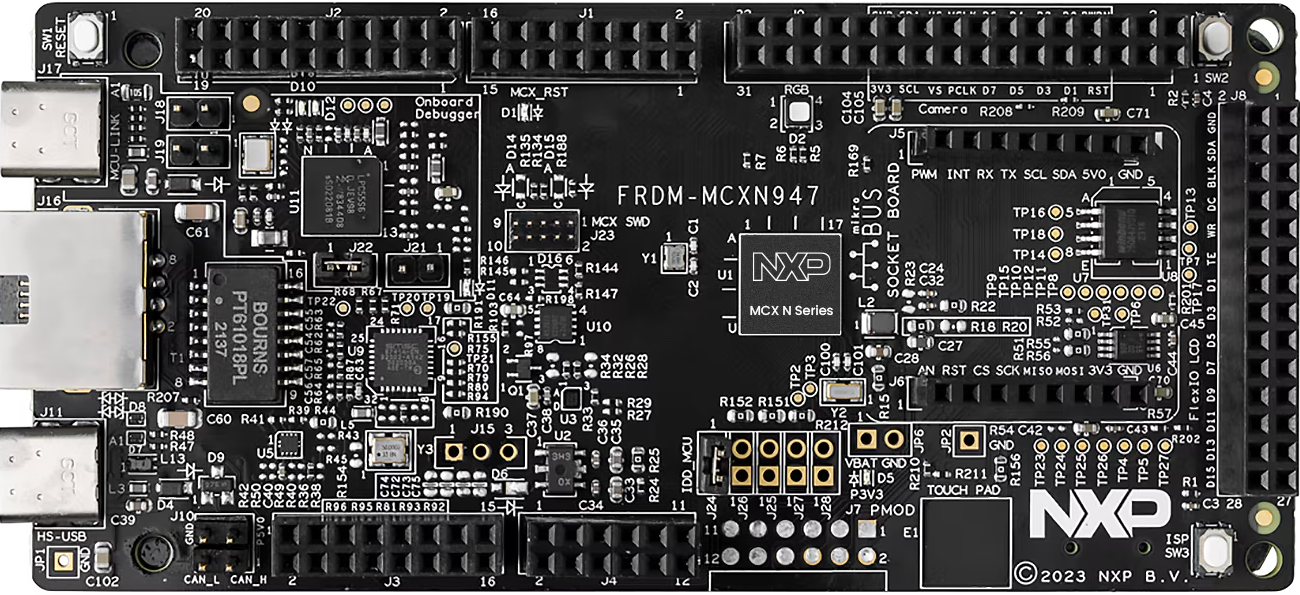
pip install spsdk[examples](Please refer to the installation documentation.)This example uses an MCXN9xx board (e.g. FRDM-MCXN947) connected via USB (ISP mode) or UART.
# Initialization cell
from spsdk.utils.jupyter_utils import YamlDiffWidget

# This env variable sets colored logger output to STDOUT
%env JUPYTER_SPSDK=1
# Set a magic for command execution and echo
%alias execute echo %l && %l
%alias_magic ! execute
env: JUPYTER_SPSDK=1
Created `%!` as an alias for `%execute`.
FAMILY = "mcxn946"  # change this to your MCXN9xx family (e.g. mcxn947)
WORKSPACE = "workspace/"  # change this to path to your workspace
INPUTS = "inputs/"  # input configurations and binaries
KEYS = "../../_data/keys/ecc256/"  # shared example keys
VERBOSITY = (
    ""  # verbosity of commands, might be -v or -vv for debug or blank for no additional info
)
2. Root of Trust Keys and Certificate Block#
Secure boot is anchored by up to four Root of Trust (RoT) key-pairs. The hash of the root key table (RKTH) is programmed into the device CMPA and cannot be changed afterwards. In this example we reuse the shared ECC-256 example key-pairs from the _data/keys/ecc256 folder; in a real scenario you would generate your own keys using the nxpcrypto application (refer to How-to-get-keys-using-nxpcrypto).
The certificate block bundles the root key table and is referenced by the MBI and the CMPA. A ready-made configuration is provided in cert_block_mcxn9xx.yaml. To learn how to create a certificate block from scratch, check the dedicated notebook (see How-to-get-cert-block).
3. Generate the signed Master Boot Image#
The nxpimage tool builds the signed MBI according to a YAML configuration. A template can be created with nxpimage mbi get-templates and then customized. Below we compare the generated signed/xip template with the ready-made user configuration (mbi_config.yaml) to highlight the changes we made. The input is a plain application image (frdm_mcxn947_led_blinky.bin); the output is a signed image ready to be authenticated by the boot ROM.
# Get difference of template and user YAML configuration
YamlDiffWidget("inputs/mcxn9xx_secure_boot.diffc").html
nxpimage mbi get-templates -f mcxn946 -o workspace --force
Creating workspace/mcxn946_xip_plain.yaml template file.
Creating workspace/mcxn946_xip_crc.yaml template file.
Creating workspace/mcxn946_xip_signed.yaml template file.
Creating workspace/mcxn946_load_to_ram_plain.yaml template file.
Creating workspace/mcxn946_load_to_ram_crc.yaml template file.
import os

MBI_CONFIG = INPUTS + "mbi_config.yaml"
%! nxpimage $VERBOSITY mbi export -c $MBI_CONFIG
assert os.path.exists(WORKSPACE + "mcxn9xx_signed.bin")
nxpimage  mbi export -c inputs/mbi_config.yaml
RKTH: e2cca7cf09a45d2f1942969fda1c68ecaad78fad416d143292dad2f618291ddd
Success. (Master Boot Image: workspace/mcxn9xx_signed.bin created.)
4. Generate CMPA and CFPA binaries#
The device configuration areas CMPA (Customer Manufacturing Programmable Area) and CFPA (Customer In-Field Programmable Area) are generated with the pfr application. The CMPA export takes the certificate block (-e option) so the correct RKTH is embedded. Extend the CMPA configuration to enable secure boot, restrict debug, disable ISP, etc. according to your product security policy.
Enabling secure boot: SECURE_BOOT_CFG.SEC_BOOT_EN#
The cmpa_mcxn9xx.yaml used here keeps the factory defaults (settings: {}), so this example provisions the Root of Trust without locking the part. To actually enforce secure boot, set SECURE_BOOT_CFG.SEC_BOOT_EN in the CMPA config. This field defines the minimum image verification the ROM accepts:
|
Meaning |
|---|---|
|
All image types allowed (plain, CRC, signed) |
|
Only CRC32 or signed images allowed |
|
Only cryptographically signed (CMAC/ECDSA) images |
|
Only ECDSA-signed images |
For example, to require signed images, set in cmpa_mcxn9xx.yaml (the SIGNED_IMAGES enum equals numeric value 2):
settings:
  SECURE_BOOT_CFG:
    SEC_BOOT_EN: SIGNED_IMAGES
WARNING - practically irreversible. Once
SEC_BOOT_EN>= 2 is written and the device resets, the ROM rejects unsigned/plain images, so a debugger that loads an unsigned image appears “dead”. Make sure the RKTH matches your signing keys and you have a correctly signed image before writing this CMPA. Recovery then requires a properly signed image or a Mass Erase.
import os

CMPA_CONFIG = INPUTS + "cmpa_mcxn9xx.yaml"
CFPA_CONFIG = INPUTS + "cfpa_mcxn9xx.yaml"
CERT_BLOCK_CONFIG = INPUTS + "cert_block_mcxn9xx.yaml"
CMPA_BIN = WORKSPACE + "cmpa.bin"
CFPA_BIN = WORKSPACE + "cfpa.bin"

%! pfr $VERBOSITY export -c $CMPA_CONFIG -e $CERT_BLOCK_CONFIG -o $CMPA_BIN
%! pfr $VERBOSITY export -c $CFPA_CONFIG -o $CFPA_BIN
assert os.path.exists(CMPA_BIN)
assert os.path.exists(CFPA_BIN)
pfr  export -c inputs/cmpa_mcxn9xx.yaml -e inputs/cert_block_mcxn9xx.yaml -o workspace/cmpa.bin
Success. (CMPA binary has been generated and stored into workspace/cmpa.bin)
pfr  export -c inputs/cfpa_mcxn9xx.yaml -o workspace/cfpa.bin
Success. (CFPA binary has been generated and stored into workspace/cfpa.bin)
5. Device preparation#
Put the board into In-System Programming (ISP) mode and use nxpdevscan to check that the device is detected by the PC.
# check if the device is connected and detected by the PC
%! nxpdevscan
nxpdevscan
Scanning USB devices...
╔═════════════════════════════════════════════════════════════╗
║            Connected NXP USB Devices  (2 devices)           ║
╠═════════════════════════════════════════════════════════════╣
║  VID       : 0x1fc9                                         ║
║  PID       : 0x0143                                         ║
║  Product   : LPCSIO                                         ║
║  Name      : N/A                                            ║
║  Path      : HID\VID_1FC9&PID_0143&MI_04\8&1BAB1A3F&0&0000  ║
║  Path Hash : 1e15cc67                                       ║
║  Serial    : DJ511TBENVIMZ                                  ║
╟─────────────────────────────────────────────────────────────╢
║  VID       : 0x1fc9                                         ║
║  PID       : 0x0143                                         ║
║  Product   : MCU-LINK NXP TRACE                             ║
║  Name      : N/A                                            ║
║  Path      : HID\VID_1FC9&PID_0143&MI_01\8&143FD500&0&0000  ║
║  Path Hash : 000e635b                                       ║
║  Serial    : DJ511TBENVIMZ                                  ║
╚═════════════════════════════════════════════════════════════╝

Scanning UART devices...
╔════════════════════════════════════════════╗
║   Connected NXP UART Devices  (1 device)   ║
╠════════════════════════════════════════════╣
║  Port : COM18                              ║
║  Type : mboot device                       ║
╚════════════════════════════════════════════╝

Scanning LPCUSBSIO devices...
╔════════════════════════════════════════════════════════════════╗
║             Connected NXP SIO Devices  (1 device)              ║
╠════════════════════════════════════════════════════════════════╣
║  VID          : 0x1fc9                                         ║
║  PID          : 0x0143                                         ║
║  Manufacturer : NXP Semiconductors                             ║
║  Product      : LPCSIO                                         ║
║  Path         : HID\VID_1FC9&PID_0143&MI_04\8&1BAB1A3F&0&0000  ║
║  Path Hash    : 1e15cc67                                       ║
║  Serial       : DJ511TBENVIMZ                                  ║
║  Interface #  : 4                                              ║
║  Release      : 0x0313                                         ║
╚════════════════════════════════════════════════════════════════╝

Scanning UUU devices...  Nothing found
# Select the interface to the target. USB (default MCXN9xx ISP VID:PID) or UART.
USB = "-u 0x1fc9,0x014f"  # change to your device
UART = "-p com18"  # change to your device, or use e.g. "-p com10" for UART
6. Write CMPA/CFPA and the signed image to the device#
Write the CFPA and CMPA configuration areas, erase the flash, and program the signed image. After reset the boot ROM authenticates the image against the RKTH stored in the CMPA and boots it.
SIGNED_IMAGE = WORKSPACE + "mcxn9xx_signed.bin"
%! pfr $VERBOSITY write $UART -t cfpa -f $FAMILY -bin $CFPA_BIN
%! pfr $VERBOSITY write $UART -t cmpa -f $FAMILY -bin $CMPA_BIN
%! blhost $UART flash-erase-all
%! blhost $UART write-memory 0x0 $SIGNED_IMAGE
%! blhost $UART reset
pfr  write -p com18 -t cfpa -f mcxn946 -bin workspace/cfpa.bin
CFPA data written to device.
pfr  write -p com18 -t cmpa -f mcxn946 -bin workspace/cmpa.bin
CMPA data written to device.
blhost -p com18 flash-erase-all
Response status = 0 (0x0) Success.
blhost -p com18 write-memory 0x0 workspace/mcxn9xx_signed.bin
Response status = 0 (0x0) Success.
Response word 1 = 4368 (0x1110)
blhost -p com18 reset
Response status = 0 (0x0) Success.