
RW61x Bootable Image#
Let’s prepare the environment#
%run ../../init_notebook.ipynb

import pprint

pp = pprint.PrettyPrinter(indent=4)

WORKSPACE = "workspace/"  # change this to path to your workspace
INPUTS = "inputs/"

# choose debug interface
INTERFACE = "pyocd"
# choose family
FAMILY = "rw612"
env: JUPYTER_SPSDK=1
Created `%!` as an alias for `%execute`.
Device preparation#
Now it’s time to prepare the device. In this example we will use FRDM-RW612 board.
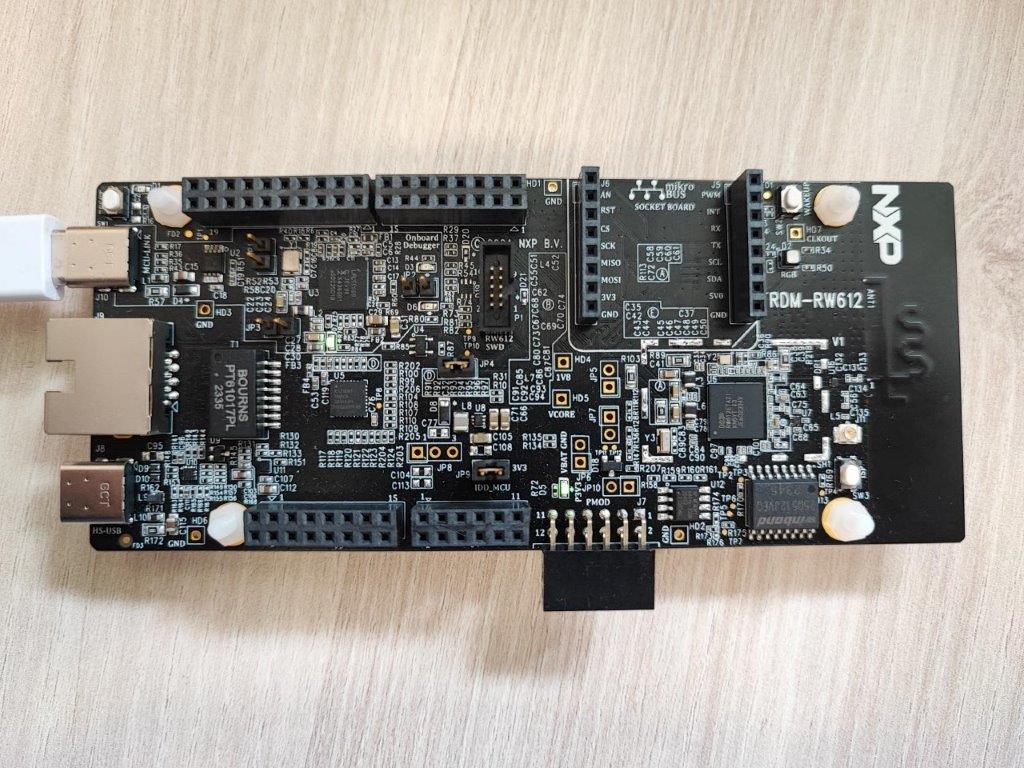
Prepare device and use app nxpdevscan to check if the device is connected to the PC in ISP mode. The nxpdevscan must shown connected UART device with type “mboot” device. In following example the nxpdebugmbox is used to force device to ISP mode.
# force device to ISP mode
%! nxpdebugmbox -i $INTERFACE -f $FAMILY cmd ispmode -m 1
# check if the device is connected and detected by PC
%! nxpdevscan
nxpdebugmbox -f rw612 cmd ispmode -m 1
  #   Interface   Id           Description
-------------------------------------------------------
  0   PyOCD       1064263226   Segger J-Link MCU-Link
Entering into ISP mode succeeded
nxpdevscan
-------- Connected NXP USB Devices --------

-------- Connected NXP UART Devices --------

Port: COM115
Type: mboot device

-------- Connected NXP SIO Devices --------

-------- Connected NXP UUU Devices --------
# determine the interface connection based on the result from nxpdevscan
UART = "-p COM115"
# check if the board responds in ISP mode
%! blhost $UART get-property 1
blhost -p COM115 get-property 1
Response status = 0 (0x0) Success.
Response word 1 = 1258488064 (0x4b030100)
Current Version = K3.1.0
MBI generation#
%! nxpimage mbi get-templates -f $FAMILY -o workspace/configs/ --force
nxpimage mbi get-templates -f rw612 -o workspace/configs/ --force
Creating workspace\configs\rw612_xip_plain.yaml template file.
Creating workspace\configs\rw612_xip_crc.yaml template file.
Creating workspace\configs\rw612_xip_signed.yaml template file.
Creating workspace\configs\rw612_load_to_ram_plain.yaml template file.
Creating workspace\configs\rw612_load_to_ram_crc.yaml template file.
Creating workspace\configs\rw612_load_to_ram_signed.yaml template file.
# Modify the mbi config yaml file accordingly and saved it. It will be exported to binary file.
%! nxpimage mbi export -c inputs/rw61x_xip_plain.yaml
nxpimage mbi export -c inputs/rw61x_xip_plain.yaml
Success. (Master Boot Image: workspace\outputs\mbi.bin created.)
MERGE BOOTABLE IMAGE#
# Get templates for bootable image
%! nxpimage bootable-image get-templates -f $FAMILY -o workspace/configs/ --force
nxpimage bootable-image get-templates -f rw612 -o workspace/configs/ --force
Creating workspace/configs/bootimg_rw612_internal.yaml template file.
Creating workspace/configs/bootimg_rw612_flexspi_nor.yaml template file.
# Modified the bootimg_rw61x_flexspi_nor.yaml file and referenced the FCB binary/FCB yaml config and the MBI to create the bootable image
%! nxpimage bootable-image merge -c inputs/bootimg_rw61x_flexspi_nor.yaml -o workspace/outputs/bootable_image.bin
nxpimage bootable-image merge -c inputs/bootimg_rw61x_flexspi_nor.yaml -o workspace/outputs/bootable_image.bin
Success. (Bootable Image: workspace\outputs\bootable_image.bin created)
Running image#
# Memory configuration
%! nxpmemcfg parse --family rw612 --force --peripheral flexspi_nor --option-word 0xC0000008 --output workspace/outputs/mem_cfg.yaml
%! nxpmemcfg blhost-script --force --config workspace/outputs/mem_cfg.yaml --output workspace/outputs/script.txt --fcb inputs/fcb.bin
%! blhost $UART batch workspace/outputs/script.txt

# Erase memory
%! blhost $UART flash-erase-region 0x08000000 0x10000
# Write
%! blhost $UART write-memory 0x08000000 workspace/outputs/bootable_image.bin

# Write the shadow registers and reset
%! shadowregs -i $INTERFACE -f $FAMILY loadconfig -c inputs/shadow.yaml
%! shadowregs -i $INTERFACE -f $FAMILY reset
nxpmemcfg parse --family rw612 --force --peripheral flexspi_nor --option-word 0xC0000008 --output workspace/outputs/mem_cfg.yaml
Parsed option words has been stored: workspace/outputs/mem_cfg.yaml
nxpmemcfg blhost-script --force --config workspace/outputs/mem_cfg.yaml --output workspace/outputs/script.txt --fcb inputs/fcb.bin
WARNING:spsdk.memcfg.memcfg:FCB block read back script has been generated. Be aware that s 4KB block at base address will be erased to avoid cumulative write! (221ms since start, memcfg.py:422)
Exported blhost script.
blhost -p COM115 batch workspace/outputs/script.txt
Response status = 0 (0x0) Success.
Response status = 0 (0x0) Success.
Response status = 0 (0x0) Success.
Response status = 0 (0x0) Success.
Response status = 0 (0x0) Success.
Reading memory
Response status = 0 (0x0) Success.
Response word 1 = 512 (0x200)
Read 512 of 512 bytes.
blhost -p COM115 flash-erase-region 0x08000000 0x10000
Response status = 0 (0x0) Success.
blhost -p COM115 write-memory 0x08000000 workspace/outputs/bootable_image.bin
Writing memory
Response status = 0 (0x0) Success.
Response word 1 = 22340 (0x5744)
shadowregs -i pyocd -f rw612 loadconfig -c inputs/shadow.yaml
  #   Interface   Id           Description
-------------------------------------------------------
  0   PyOCD       1064263226   Segger J-Link MCU-Link
WARNING:spsdk.apps.shadowregs:Verification is not possible on the rw612, it won't be performed. (3207ms since start, shadowregs.py:212)
The Shadow registers has been loaded by configuration in inputs/shadow.yaml YAML file
shadowregs -i pyocd -f rw612 reset
  #   Interface   Id           Description
-------------------------------------------------------
  0   PyOCD       1064263226   Segger J-Link MCU-Link
The target has been reset.
Final result#
The Board should blinky with blue on board LED.